
Student Resources
Educational Links
IXL Choose: Sign in with Clever
Amplify Choose: Log in with Clever
Accessing Clever and Student Google Account on a Home Device
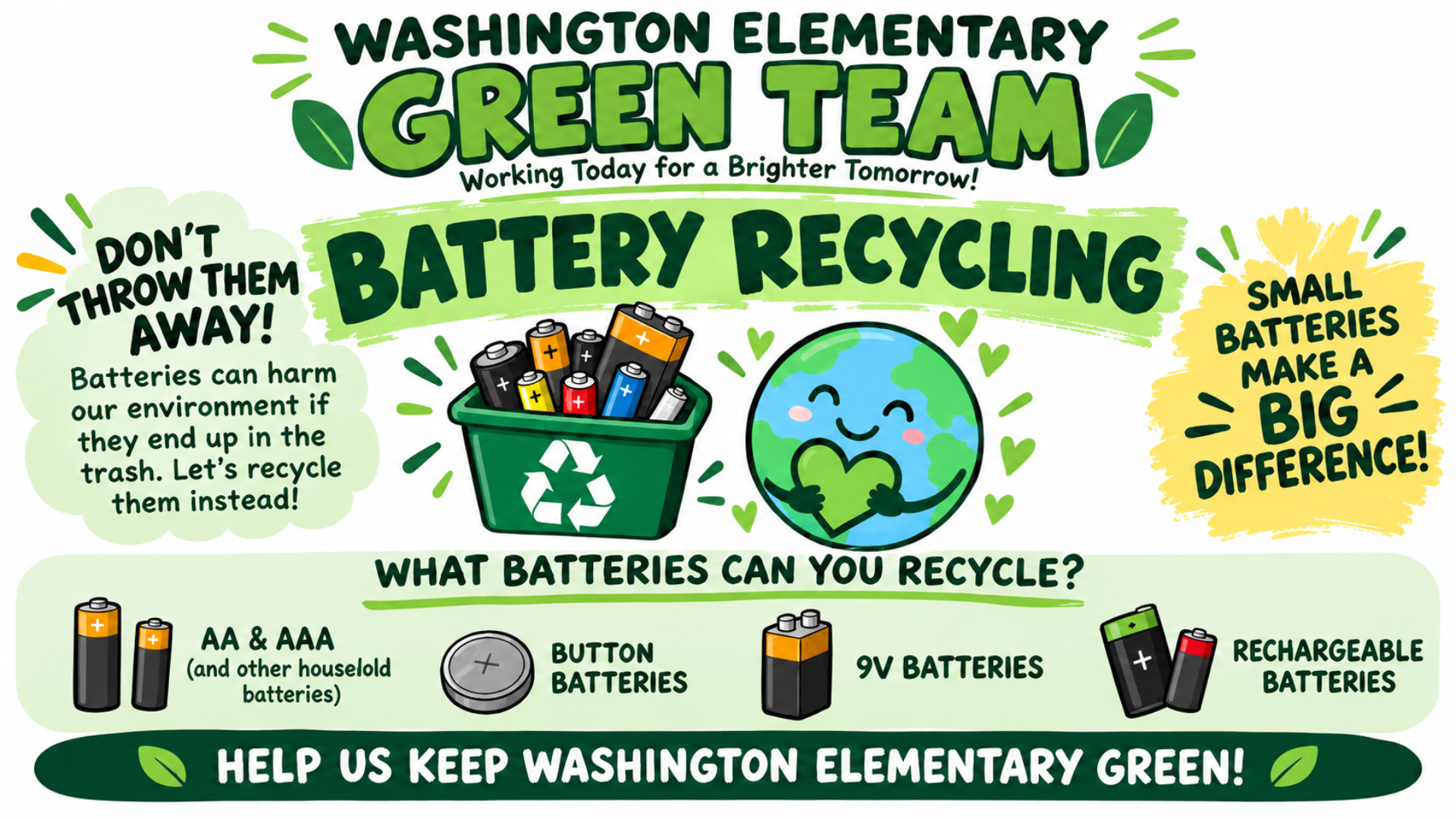
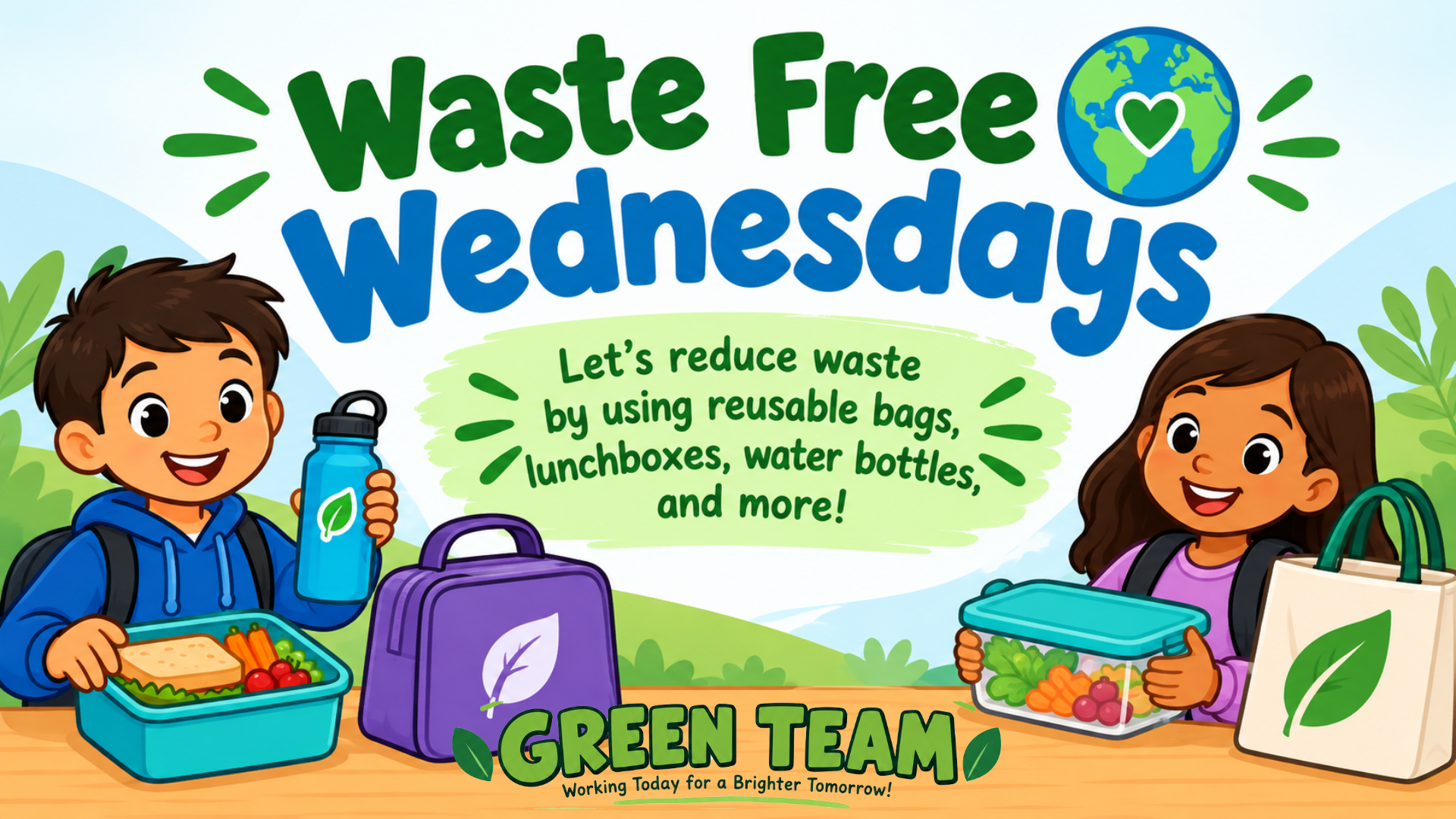
Green Team
Green Team Meets once a month on a Tuesday, 8:30 am, in Mrs. Zobay's room. Open to students grades 3-5.

Morning Annoucements
Media Center Library Catalog
 Washington Elementary School Online Library Catalog
- Search by title, author, keyword and subject.
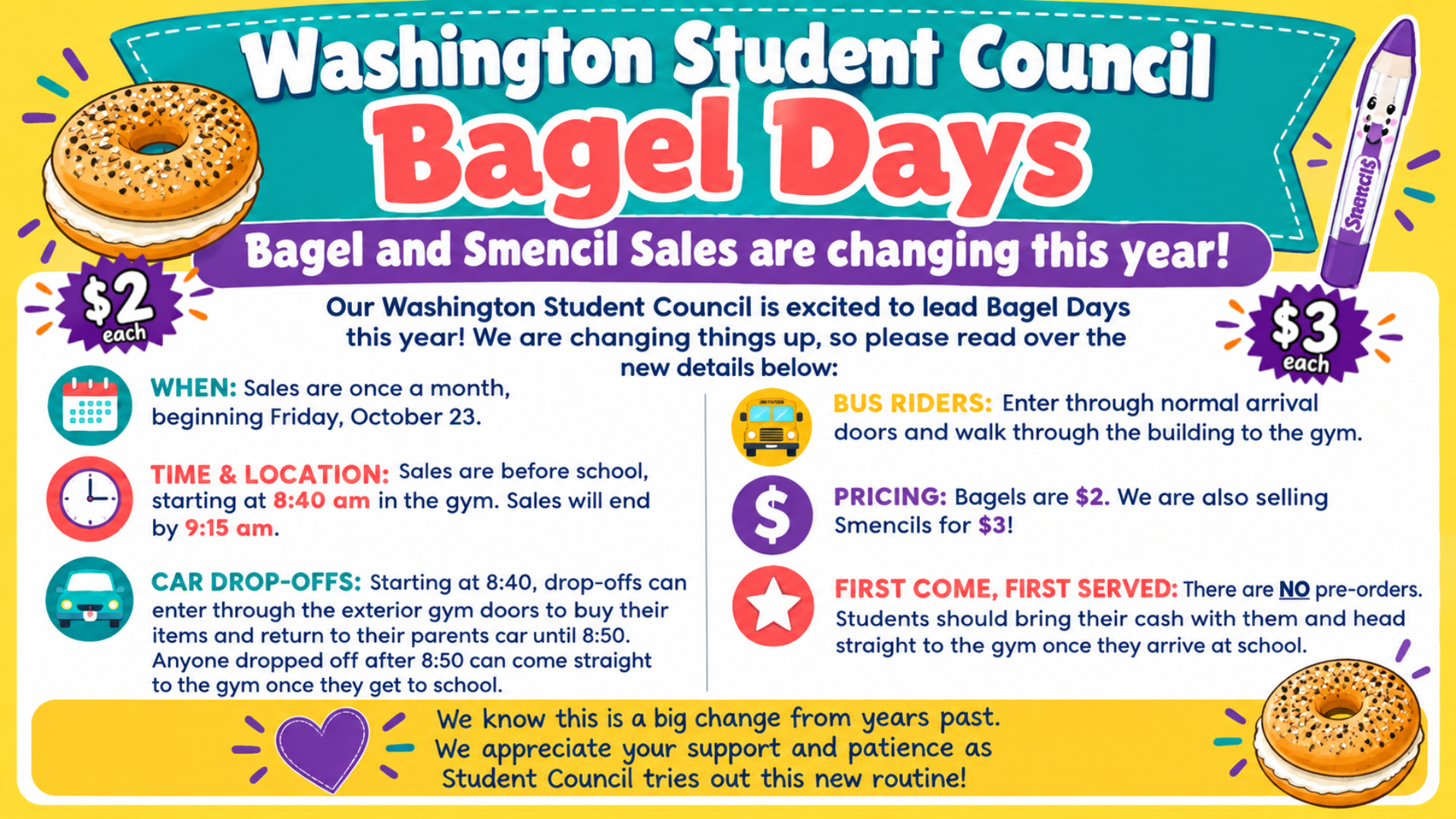
Student Council

Parent Resources
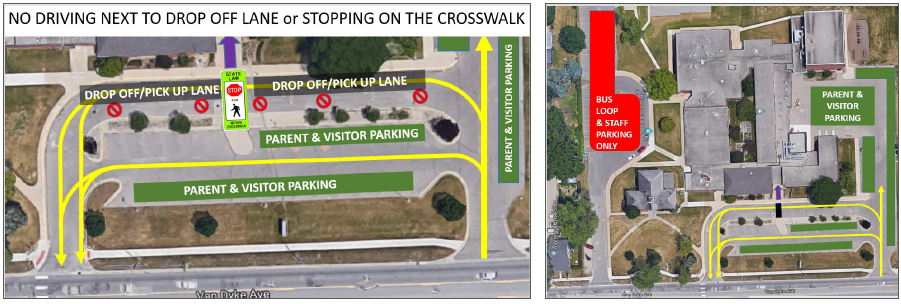
Arrival & Dismissal Procedures
Communication: ParentSquare
Welcome to our communication platform, ParentSquare.
You’ll receive district, school, athletic/group, and classroom updates with ParentSquare—right where you can easily access everything from your phone or computer. Whether it’s event reminders, forms, schedule changes, or classroom news, ParentSquare keeps all your school communication in one place.
You can also:
- Use the attendance reporting tool for student absences. Click here for instructions.
- Choose how and when you receive messages
- Reply to messages from staff
- View calendars and sign-ups
- Fill out permission slips and forms
- And more—all in your preferred language
If you haven't registered your account yet, you’ll receive periodic reminders from the district to do so.
If you’d like to register yourself, navigate to ParentSquare (https://www.parentsquare.com/signin) to begin
the process using the contact information (email or phone number) that matches the data in PowerSchool.
Once registered, please set your notification and language preferences.
Also, please consider downloading the ParentSquare app. The app is free and helps you stay connected on the go. It’s available for iPhone and Android. Simply visit the App Store for iPhone or Google Play and search ParentSquare.

District Technology
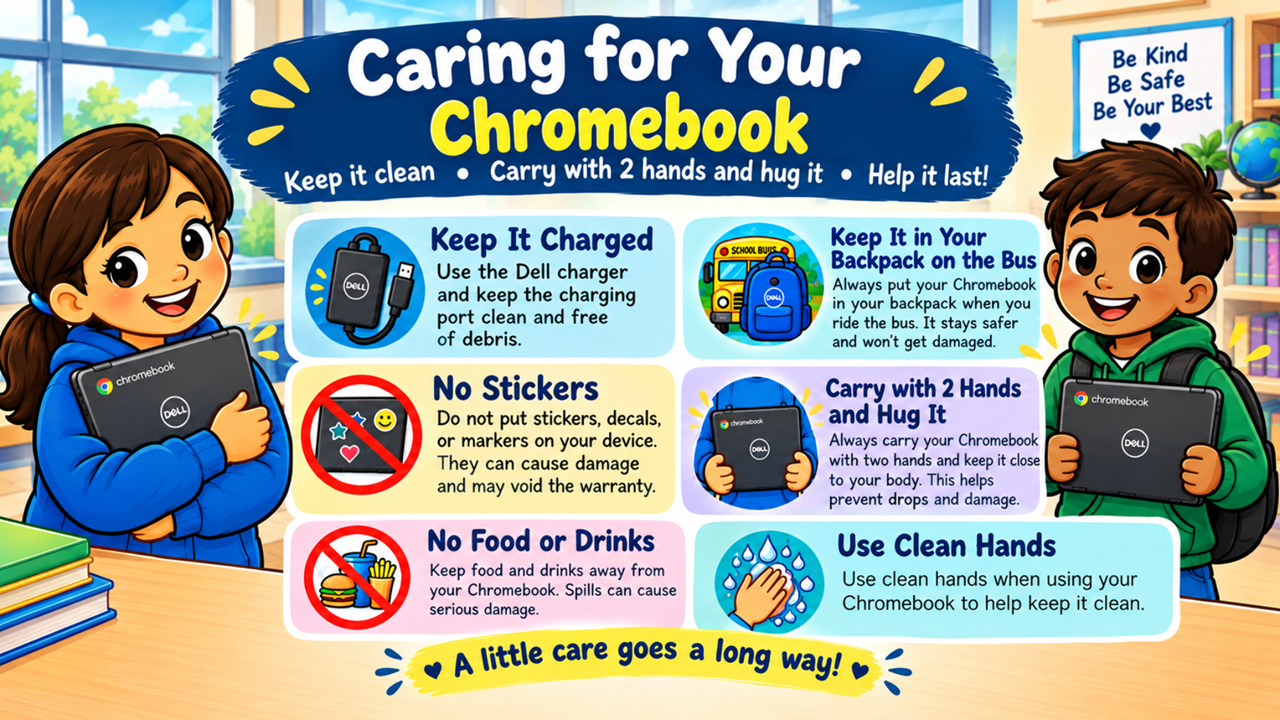
Chromebooks:
Handbooks:
Parent / Guardian / Student Responsibility:
School Devices (Chromebooks) are property of Romeo Community Schools and are loaned to students for use under the guidelines of the Romeo Community Schools Technology Handbook.
If your plans necessitate a move to another school or district, please be sure to notify the school office and be sure that your child's Chromebook and charger are returned to the school's Technology Assistant before you go.
Parents / Guardians are financially responsible for accidental or purposeful damage to or the loss of the Device, as well as for any costs incurred due to student's use or misuse of the Device.
If the District-Issued Device is damaged:
The fine assessed to the Parent / Guardian will be as follows:
- 1st incident - $25
- 2nd incident - $50
- 3rd incident - Full cost of repair
If a Device is lost / stolen / intentionally damaged / damaged beyond repair:
- The fine assessed to the Parent / Guardian will be $200
If your student transfers out of Romeo Community Schools:
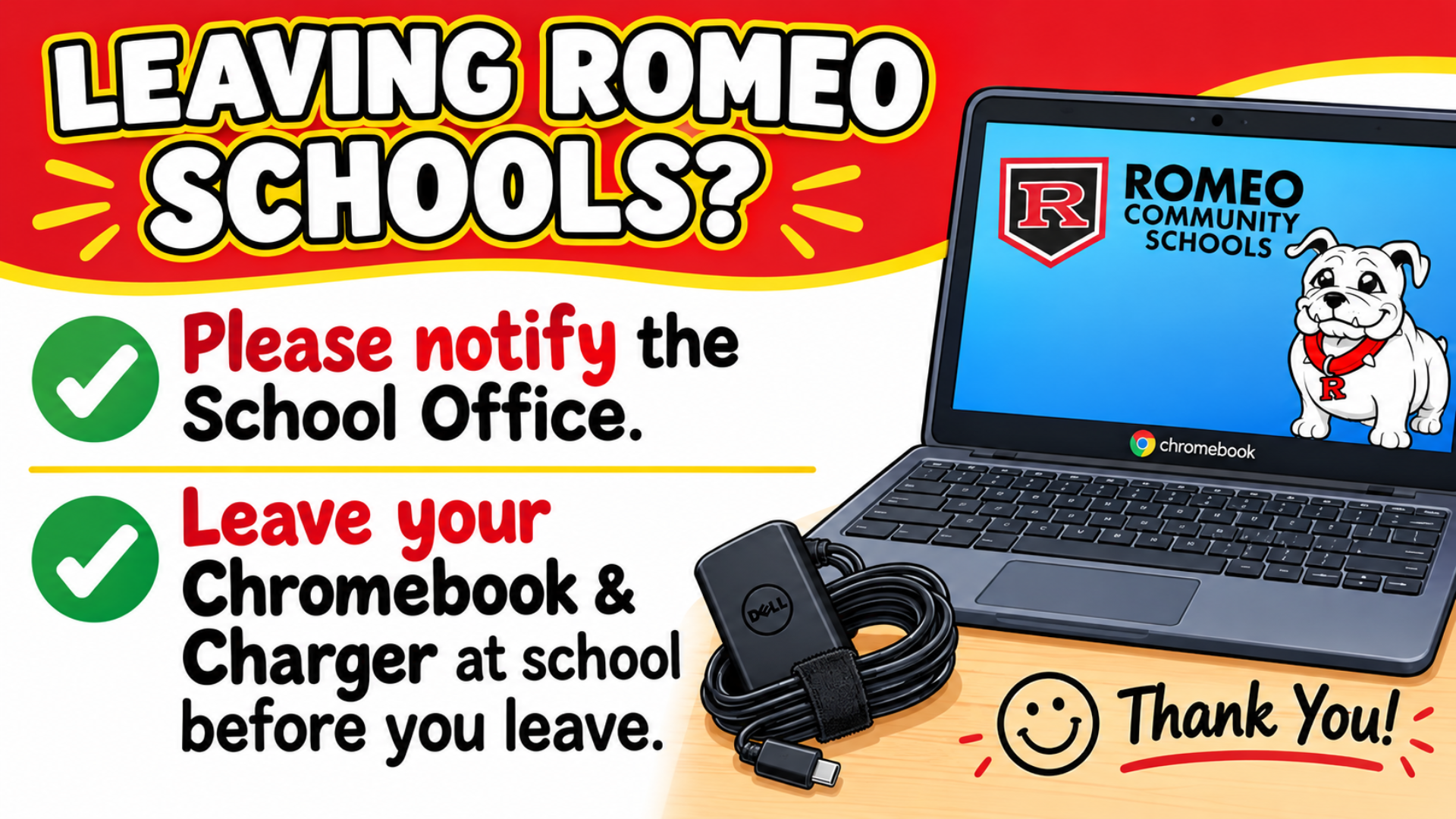
- Please be sure to return all Chromebooks, along with the chargers, to the school by the last day of attendance. Payment of outstanding repair fines before you leave is greatly appreciated. Thank you.
- If not returned in a timely fashion, the Device and accessories may be considered stolen and result in legal action, or be required to pay $200 for replacement costs.
Accessory Fines:
The fine assessed to the Parent / Guardian for damaged or missing items will be as follows:
- Dell Chromebook Charger: $40.00
- Chromebook Protective Case: $35.00
Paying assessed fines:
There are a few ways to make payments:
- Preferred way - Pay online with SchoolPay
- Send cash to school with your student;
- Send a check to school with your student, made out to Romeo Community Schools
Must-Have Information
DAILY INSTRUCTIONAL SCHEDULE - 9:03am-3:58pm
1st Arrival Bell: 8:58 am
2nd Arrival (Tardy) Bell: 9:03 am
Dismissal Bell: 3:58pm
Half-Day Dismissal Bell: 12:12pm
*Students who are driven to school may not be released from their vehicles until 8:50am.
STAY CONNECTED
Your child’s teacher will communicate through ParentSquare and/or email. To register for ParentSquare, navigate
to ParentSquare (https://www.parentsquare.com/signin) to begin the process using the contact information
(email or phone number) that matches the data in PowerSchool. Always keep an updated email address on file.
Please consider downloading the ParentSquare app. The app is free and helps you stay connected on the go. It’s
available for iPhone and Android. Simply visit the App or Google Play store and search ParentSquare.
Washington Facebook
ABSENTEE CALLS/NOTES
Please use the ParentSquare's attendance reporting tool to notify the school. Click here for instructions.
If you prefer to call, please remember to call the school attendance line at 586-281-2150 before 9:30a.m.
- Please give the spelling of the child's last name
- Teacher's name
- Reason for absence
The answering machine is on 24 hours a day. If your child needs an early dismissal, please send in a note (not an email) to the teacher, who will forward the information on to the office. It is very important to include the child's last name on all notes and envelopes. If a child is riding home with another student in the school, please send in a note with this information also. Due to the busy end-of-school day in the office, please call us no later than 2:30 p.m. with any changes to your child's dismissal schedule.
Allowance of bus ride changes at the end of the day is at the discretion of the transportation department, therefore all change requests must be communicated through a note to the school office in the morning. Please be sure to have a back-up plan in case transportation is unable to honor the request. NO CHANGES are allowed during the first month of school and it is possible that none will be permitted during the year.
Doctor's notes matter! While we encourage you to try not to pull students out of school for appointments, we understand that scheduling sometimes necessitates it. Any absence verified by a doctor's note is marked as excused. Please make sure to forward these notes to the office as they do make a difference in your child's attendance record.
WIRELESS COMMUNICATION DEVICES POLICY
While elementary school students have never been permitted to use cell phones in the school environment, our
policy is expanding to meet the challenges of new technology. To ensure a focused, distraction-free learning
environment, all wireless communication devices are now prohibited at school.
For the purposes of this policy, a “wireless communication device” means any privately owned electronic device
capable of, but not limited to: text messaging, voice communication, entertainment, navigation, accessing the
internet, sending/receiving photos and videos, or producing email. This includes cell phones, smartphones,
personal laptops, tablets, smartwatches, smart glasses, and other wireless or web-enabled device connections.
The Administrative Regulation that supports the implementation of the new board approved policy outlines
specific grade level protocols and corrective measures.
Below is an overview from the Administrative Regulation specific to Grades K-5:
Elementary Grade Level Regulations (PK-5)
Wireless Communication Devices (cellphones, smartwatches, wireless headphones and earbuds) are PROHIBITED
at school.
Wired headphones (in or over the ear) are allowed only for educational purposes with district provided devices
(Chromebooks, IPADs, etc.)
Use of Non-Phone WCDs:
● Personally owned devices: Personal computer and gaming devices (laptops, Ipads, tablets and gaming
devices) are not allowed in school at any grade level.
● Earphones/Earbuds: Wireless earphones and earbuds are not allowed for student use during the school
day. Wired headphones (in or over the ear) are allowed only for educational purposes with approval from
the appropriate school staff.
● Smartwatches: Smartwatches are STRICTLY PROHIBITED at the elementary level. Students caught with a
smartwatch will be subject to the progressive disciplinary consequences.
Staff members are required to enforce these regulations consistently. The progressive discipline for violations is
age appropriate and designed specific to each grade level. Administration has the authority to enforce
consequences with discretion to the individual student and incident. Legal and medical exceptions can be made in
collaboration with the school Principal.
MEDICATIONS
Washington maintains and follows State of Michigan school policy regarding the dispensation of medication: Any medication, whether sold over the counter or dispensed by the pharmacist, must be brought to the office by the parent/guardian. Students may NOT bring medication(s) to school.
There MUST BE a Medication/Treatment Consent form completed and signed by the attending physician and the parent/guardian. This form must be filled out whether the medication is sold over the counter or dispensed by the pharmacist. If you child has asthma, sever allergies, seizures or diabetes, the aligned management plan form MUST BE filled out and returned to the school office. All medication must be in the original container, clearly labeled with the student's name, the dosage, the doctor's name and phone number. All necessary forms are available in the school's office and online at Romeok12.org.
VISITORS/VOLUNTEERS
All visitors/volunteers must enter the building through the main door into the secure lobby area. Ring the
doorbell inside the lobby and front office staff will communicate with you through the intercom system. Please be
prepared to have your driver’s license run through Raptor, our visitor management system, in order to access
the building beyond the lobby and office.
If you plan to volunteer for school or classroom activities, you must fill out a volunteer form in order to have a
background check prior to volunteering. Please contact the main office or your child’s teacher to get a volunteer
form, or access it here.
Thank you for your help and your time!
FOOD SERVICE INFORMATION
We are excited to share that Romeo Community Schools is set to participate in the Michigan School Meals
program for the 2026‑27 school year. This will allow every student in Young 5’s through 12th grade to receive one
free breakfast and one free lunch each school day – just like last year. Qualifying families will still need to
complete the income forms to help determine income eligibility for additional educational programs and to
ensure our district continues to receive essential state funding. Please visit https://romeo.familyportal.cloud
and click "apply for benefits." Students will indicate to their teacher each morning upon arrival if they are
ordering a school breakfast and/or school lunch. Breakfast and lunch menus will be available on
www.romeok12.org under “Lunch Menus” at the top of the home page and are included in the Washington
Weekly News. Families interested in participating in Elementary Eats (formerly Blessings in a Backpack) will need
to complete the Sharing Benefits form.
MOVING TO ANOTHER SCHOOL OR DISTRICT
School Devices: If your plans necessitate a move to another school or district, please be sure to notify the school office and be sure that your child's Chromebook and charger are returned to the school's Technology Assistant before they leave.
To return district-issued Chromebook/s and charger/s: You can drop by your school office anytime between 8:00 a.m. and 4:30 p.m., Monday through Friday, during the school year. You may also have your student return items to the Building Technology Assistant during the school day. During the summer, items may be returned to the Technology Department at Romeo Middle School by calling (586) 281-1263. Please call first to confirm office hours. Thank you.
BIRTHDAY TREATS
At Washington, we believe that birthdays are an important part of a child’s life and we want to recognize them at school. Children’s birthdays are announced on our daily student broadcast, and students who are celebrating their birthday at school receive a birthday prize from the office. For students who would like to bring items to share with their class on their birthday, they are encouraged to bring a small NON-FOOD surprise to school (for example - pencil, eraser, stickers) to give to each classmate. Another idea would be to gift a favorite book to the class for the classroom library. Any food items must be store bought and individually packaged and will be sent home. Our teachers do not have the time or supplies to package treats (i.e.: bulk cupcakes) so please do not send in these types of treats. Always consult with the teacher ahead of time before sending in a birthday surprise.
WATER BOTTLES
Students are encouraged to bring a full water bottle to school daily. Please label your student's water bottle with their first and last name to avoid mix-ups.
DAILY NUTRITIOUS SNACK BREAK
Students are welcome to bring a nutritious snack to school. A snack should be simple and should take no more than 5 minutes for a child to eat. Fruit, veggies, cheese sticks, and goldfish are examples of a few recommended snacks. Be aware of restrictions due to food allergies in your child's classroom (the teacher will communicate those with you).
PARTY INVITATIONS
While we encourage friendships outside of school, our teachers WILL NOT pass out birthday invitations unless everyone in the class is receiving one. If you are inviting a small group of children, please reach out to those families outside of school hours. Teachers will not “slip invitations” into a few backpacks. Thank you for understanding.
TOYS & PLAYGROUND BALLS
Toys are not allowed to be brought to Washington. Toys are a distraction and cause a variety of problems when brought to school. PLEASE, leave them at home. This includes playground balls. Students who bring these items to school for after school plans will be asked to keep them in their backpack, and items taken out will be held in the office for parents to pick up.
Order School Pictures
To order School Picture Pictures - use the form that was sent home or visit SchoolPictures.com and use Code: AB15.
PTO
Stay connected with the Washington Elementary PTO: Click here to find out more.
Washington Elementary PTO Facebook Page
Washington Elementary PTO Romeo Instagram
washingtonelementarypto.romeo@gmail.com

Happy Birthday Messages: Want to share your child's birthday or half birthday? Messages are displayed on our outdoor sign and are up for 24 hours, including weekends and holidays for $10. If your child's birthday falls on a holiday/weekend and you would like it displayed during the school week, please enter the date you choose for it to be viewed.
Use this Link for purchase This link will be active through midnight on June 5th, 2026. It will re-open for orders again at the beginning of the next school year.
Please submit your purchase at least a week or more before the birthday. Thank you. :)
SACC (School Age Child Care)
The SACC program is offered at Washington Elementary before and after school daily from 6:30am-9:00am and 4:00pm-5:30pm.
All interested parents, or questions about SACC, should be directed to the Early Childhood Department at 586-752-0314. Washington is unable to accept SACC registration forms.
Students may not be dropped off at school prior to 8:50am. Should your schedule need a drop off time prior to 8:50am, please contact Early Childhood Services.
WASHINGTON SACC: 586-651-8350
SchoolPay Online Payments
SchoolPay is an online payment tool that allows families to pay for school fees without having to make a special trip to the school or send a check/cash with their students.
 SchoolPay Parent Brochure
Student Health Information and Medical Forms
With cold and flu season quickly approaching, please review these guidelines of when to keep your child at home.
Student-Parent Handbook
Young Fives and Kindergarten Information
Children who will be five years of age on or before September 1 of a school year and live within the Romeo Community Schools district boundaries are eligible to attend Kindergarten. Click Enrollment on the District Home page for information on registering.
Moving?
If your plans necessitate a move to another school or district:
- Please notify the school office.
- Return School Property: Ensure all Chromebooks and chargers, all library books, or other borrowed equipment are left at school before your last day.
Thank you!